How to Write a Handyman Invoice
Put your business name and the customer's details at the top with an invoice number and dates. Give each task its own line with the labor, list materials you supplied separately, add any trip fee, then show the tax and total with how to pay.
Every step below works on paper, in a spreadsheet, in a word processor, or in an app.
The 7 parts of a handyman invoice
-
The header
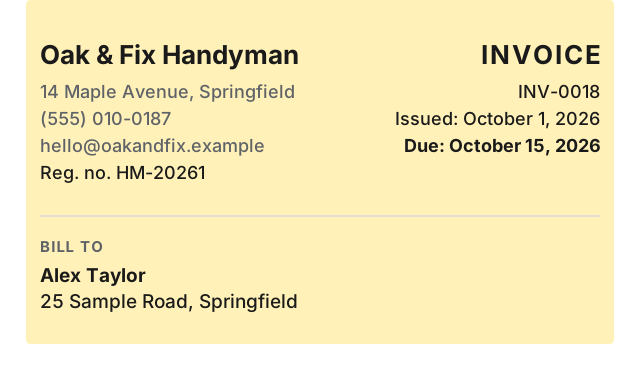
Put your business name, address, phone, email, and registration number if you have one. Add the customer, the job address if different, an invoice number, and the dates.
-
One line per task, with labor
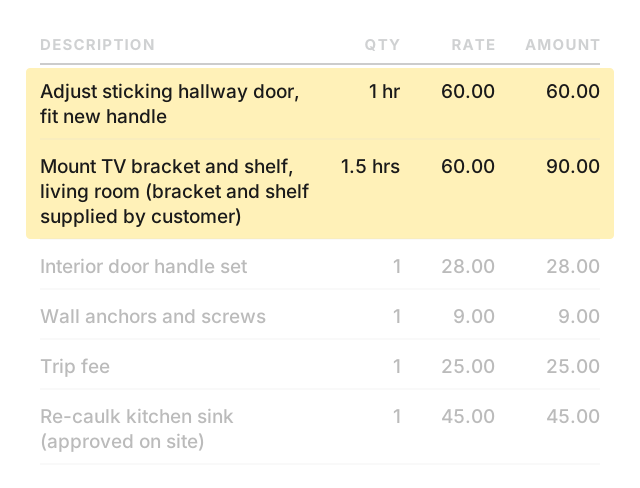
Give each task its own line. Include what you did, where, the hours, your rate, and the line total.
-
Materials you supplied
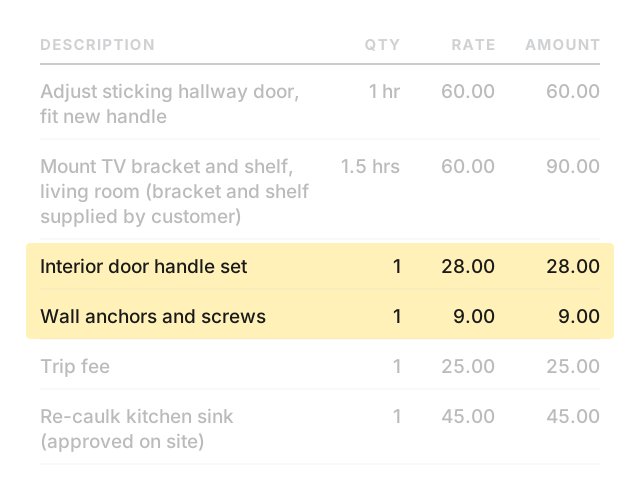
List each material on its own line with quantity and price. If the customer supplied an item, say so on the task line and charge labor only.
-
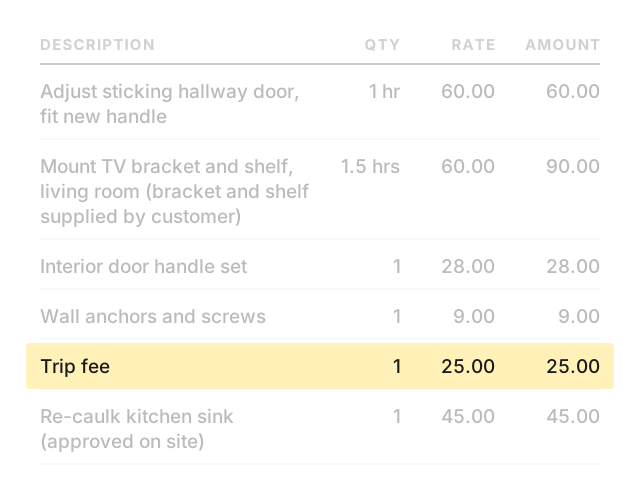
Trip fee
If you agreed a trip fee, put it on its own line so the customer can see it.
-
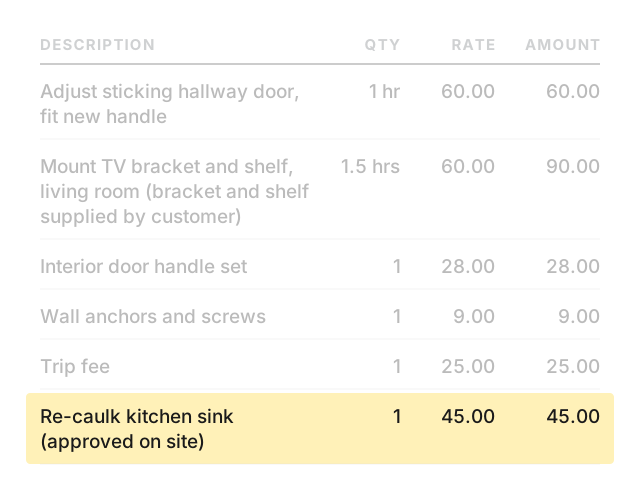
Extra work approved on site
If the customer approved more work during the visit, add it on its own line and mark it as approved.
-
Tax and total
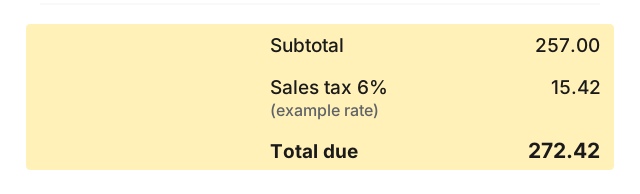
If tax applies to your work, add a tax line with the rate and amount. Show the subtotal, the tax, and the total the customer owes.
-
Payment terms
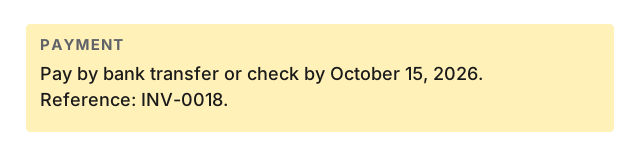
State how to pay, by when, and the invoice number as a reference.
Worked example
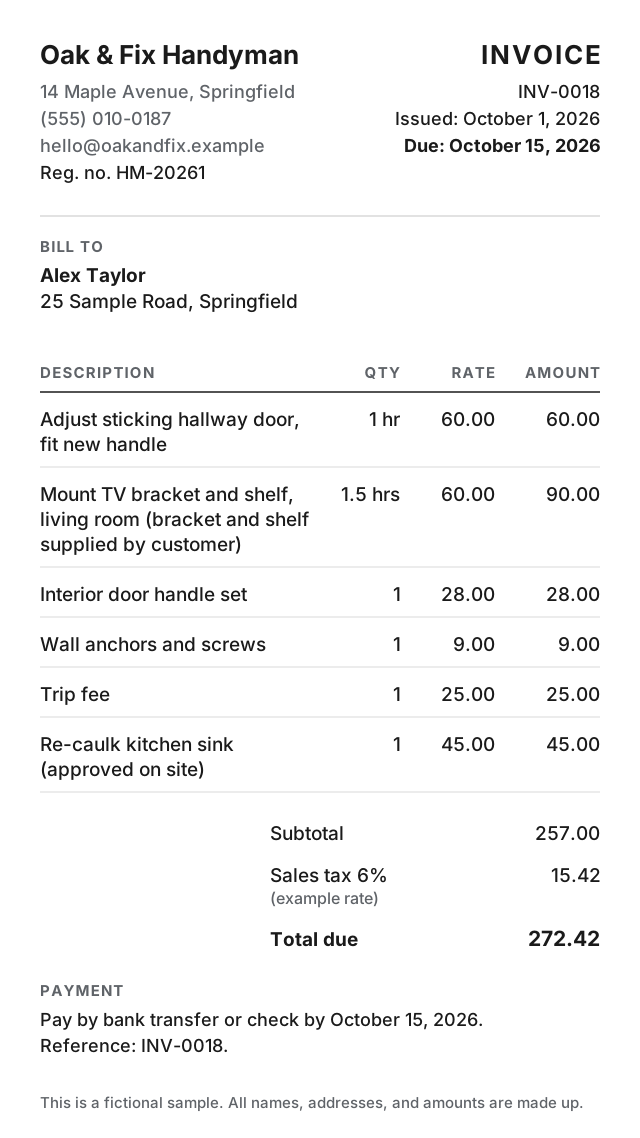
Change the names, dates, and numbers below to your own. This example is fictional.
- From:
- Oak & Fix Handyman · 14 Maple Avenue, Springfield · (555) 010-0187 · hello@oakandfix.example · Reg. no. HM-20261
- Bill to:
- Alex Taylor · 25 Sample Road, Springfield
- Invoice:
- INV-0018 · Issued October 1, 2026 · Due October 15, 2026
| Description | Qty | Rate | Amount |
|---|---|---|---|
| Adjust sticking hallway door, fit new handle | 1 hr | 60.00 | 60.00 |
| Mount TV bracket and shelf, living room (bracket and shelf supplied by customer) | 1.5 hrs | 60.00 | 90.00 |
| Interior door handle set | 1 | 28.00 | 28.00 |
| Wall anchors and screws | 1 | 9.00 | 9.00 |
| Trip fee | 1 | 25.00 | 25.00 |
| Re-caulk kitchen sink (approved on site) | 1 | 45.00 | 45.00 |
Subtotal: 257.00
Sales tax 6% (example rate): 15.42
Total due: 272.42
Payment: Pay by bank transfer or check by October 15, 2026. Reference INV-0018.
Clear task wording
Describe each line item as what you did, where, and the scope. Put quantities and prices in their own columns.
| Instead of | Write |
|---|---|
| Door repair | Adjust sticking hallway door, fit new handle |
| Shelves | Mount customer-supplied shelf and bracket in living room |
| Caulk job | Re-caulk kitchen sink, old caulk removed |
| Painting | Touch up scuffed area beside bedroom door, one agreed color |
| Materials | Interior door handle set for hallway door |
| Travel | Trip fee for visit to 25 Sample Road |
Make handyman invoices on your phone
Paid: Invoice & Estimate Maker is an iPhone and iPad app. It handles line items with quantity and rate, up to 5 named tax lines, a header number with your own label (it can say “Reg. no.”), saved customers, and saved items. An estimate turns into an invoice in one tap. Works offline, no account needed.
Your first 6 documents are free (invoices and estimates together), with every feature and no time limit. Free documents carry a small footer line: “Created with Paid · pokkle.com/invoice-maker”. After that, $4.99 once. No subscription.
Paid does not include online payment links, a web version, recurring invoices, or expense and time tracking.